AAC, or "Augmentative and Alternative Communication," apps and devices help people communicate in ways other than spoken language. In Mosaic Voice, users choose visual cards and use those selections to speak a phrase.
Questions & Answers
Frequently Asked Questions
Everything you need to know about starting your communication journey with Mosaic Voice.
Common Questions
5 topics covered
Mosaic Voice is designed for people who are nonspeaking, minimally speaking, or otherwise benefit from visual communication support. It is especially informed by autistic communication needs, while staying focused on helping each person express more than basic needs.
FeaturedMosaic vs others
What's different about Mosaic Voice vs. the other AAC apps?
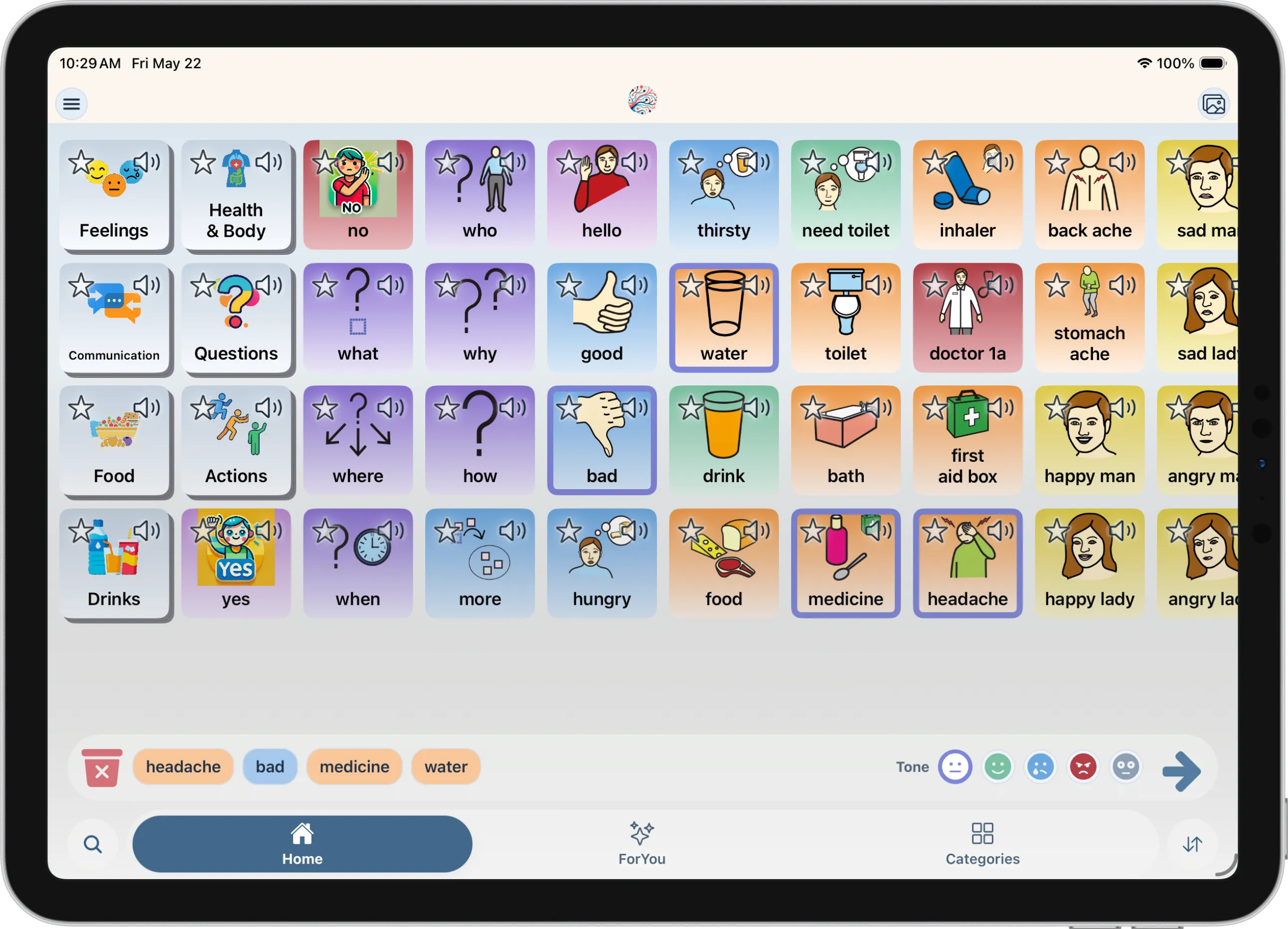
Mosaic Voice focuses on helping users build fuller phrases from selected cards, then uses AI-assisted generation to make those phrases easier to say. Caregiver-managed profiles and customizable categories keep the experience personal without turning setup into the main task.
How AI assists you
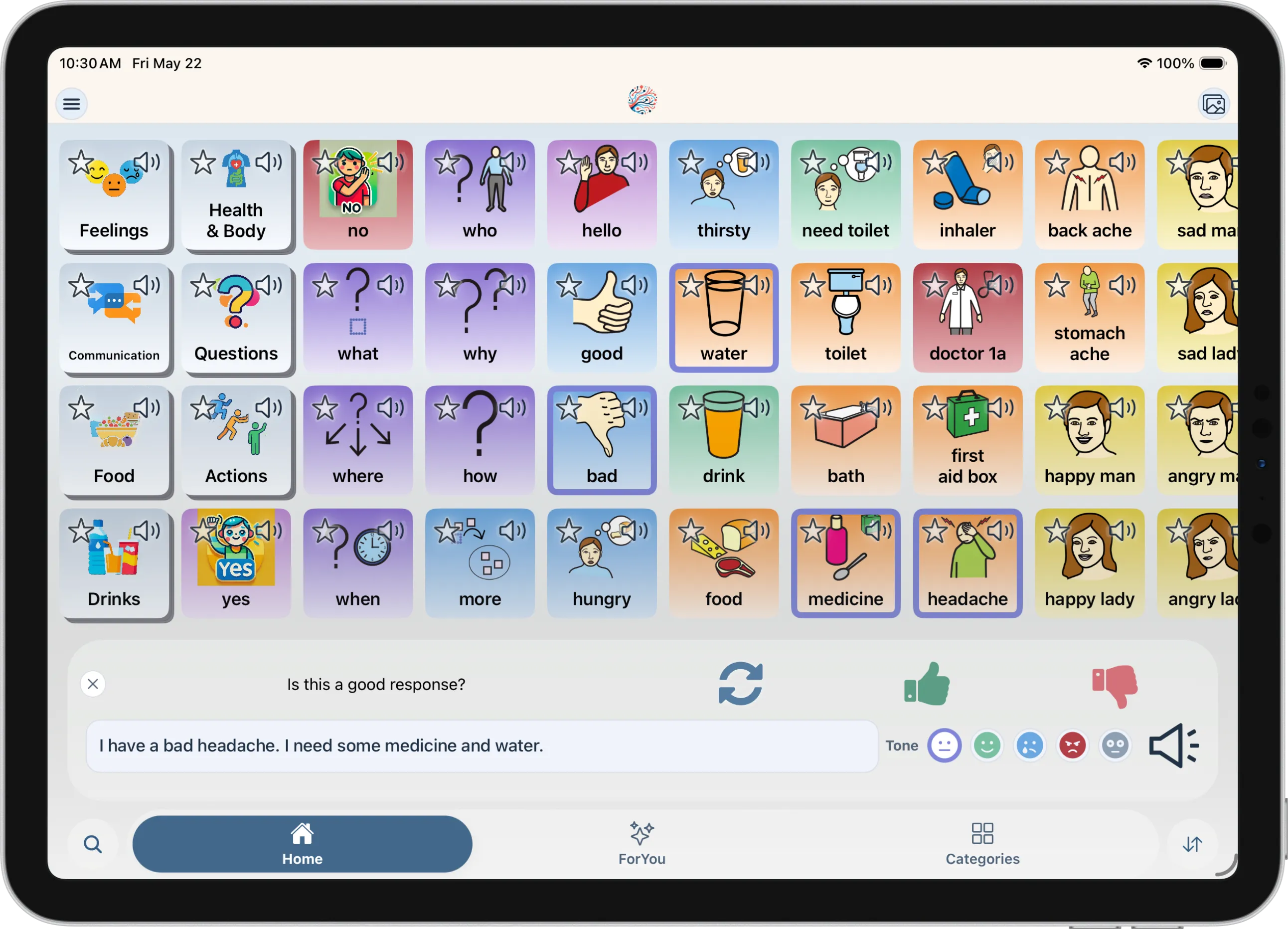
Cards in → natural phrase out
You select
bad
headache
medicine
water
Mosaic Voice speaks
"I have a bad headache. I need some medicine and water."
Yes. Mosaic Voice supports custom cards, categories, and organization so the board can fit the user's real routines and communication needs.
Mosaic Voice is focused on English for the current beta while we work toward broader launch readiness.
AI-Assisted Communication
4 topics covered
When you select cards, Mosaic Voice builds a sentence strip and uses AI to connect your choices into natural, first-person speech—with grammar, tense, and connective words filled in so the result sounds like something you would actually say.
The AI works from the cards you select. Its job is to turn those selections into smoother, speakable language—not to replace your intent. You stay in control of what goes into the sentence before it is spoken.
Yes. After you generate a sentence, tap Regenerate for new wording from the same cards, or thumbs down to open a text field and correct the line before speaking. Selected cards stay in the bottom dock as pills until you clear them.
The Suggestion Strip appears as you build a sentence and predicts likely next words based on what you have already selected. It helps you finish thoughts with fewer taps instead of digging through deep category folders every time.
Caregivers & Setup
3 topics covered
An adult account holder can create and manage profiles—for themselves or for someone they support—while keeping the communicator's board front and center. Caregivers handle setup tasks like importing boards, organizing categories, and adding context without getting in the way of daily use.
Yes. Mosaic Voice is built for exactly that kind of setup. A parent, guardian, or other caregiver can configure profiles, boards, and personalization details so the person communicating can focus on selecting cards and speaking.
No. Mosaic Voice is designed to be approachable without months of dedicated training, which is one of the frustrations we set out to solve. Speech-language pathologists can still be a great partner, but the app is meant to be usable quickly by families and caregivers on their own.
Boards & Customization
6 topics covered
Yes. Mosaic Voice supports standard Open Board Format files (.obf for single boards and .obz for full board sets), so you can bring existing vocabulary and folder structures with you instead of starting from scratch.
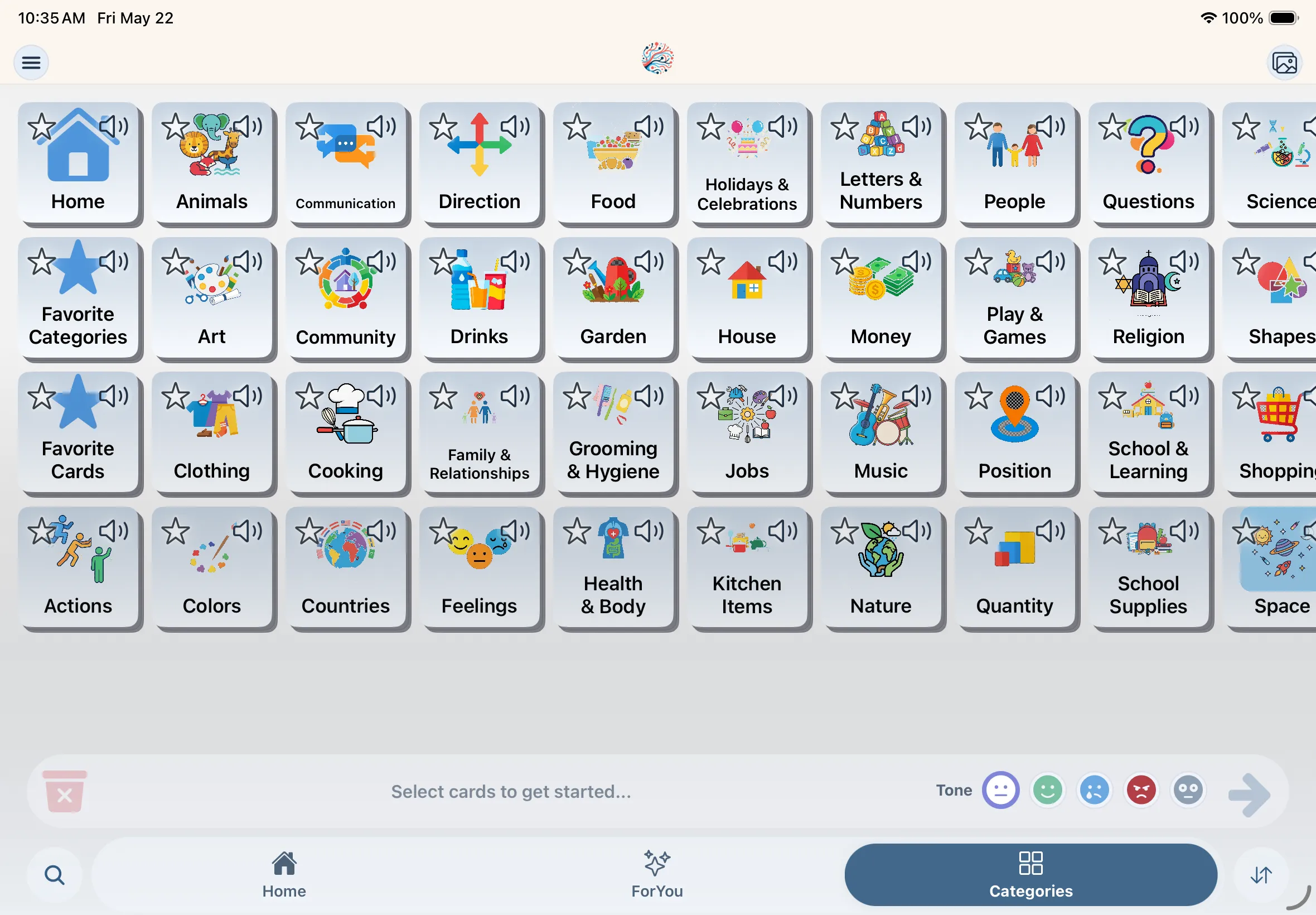
Yes. You can create custom cards with photos of real objects or people, draw from a large symbol library, and use smart label suggestions to help with pronunciation of names and personal words.
For You brings favorites, recents, and history together in one place. The more someone uses Mosaic Voice, the more it surfaces the cards and phrases they reach for most—so everyday communication stays within easy reach.
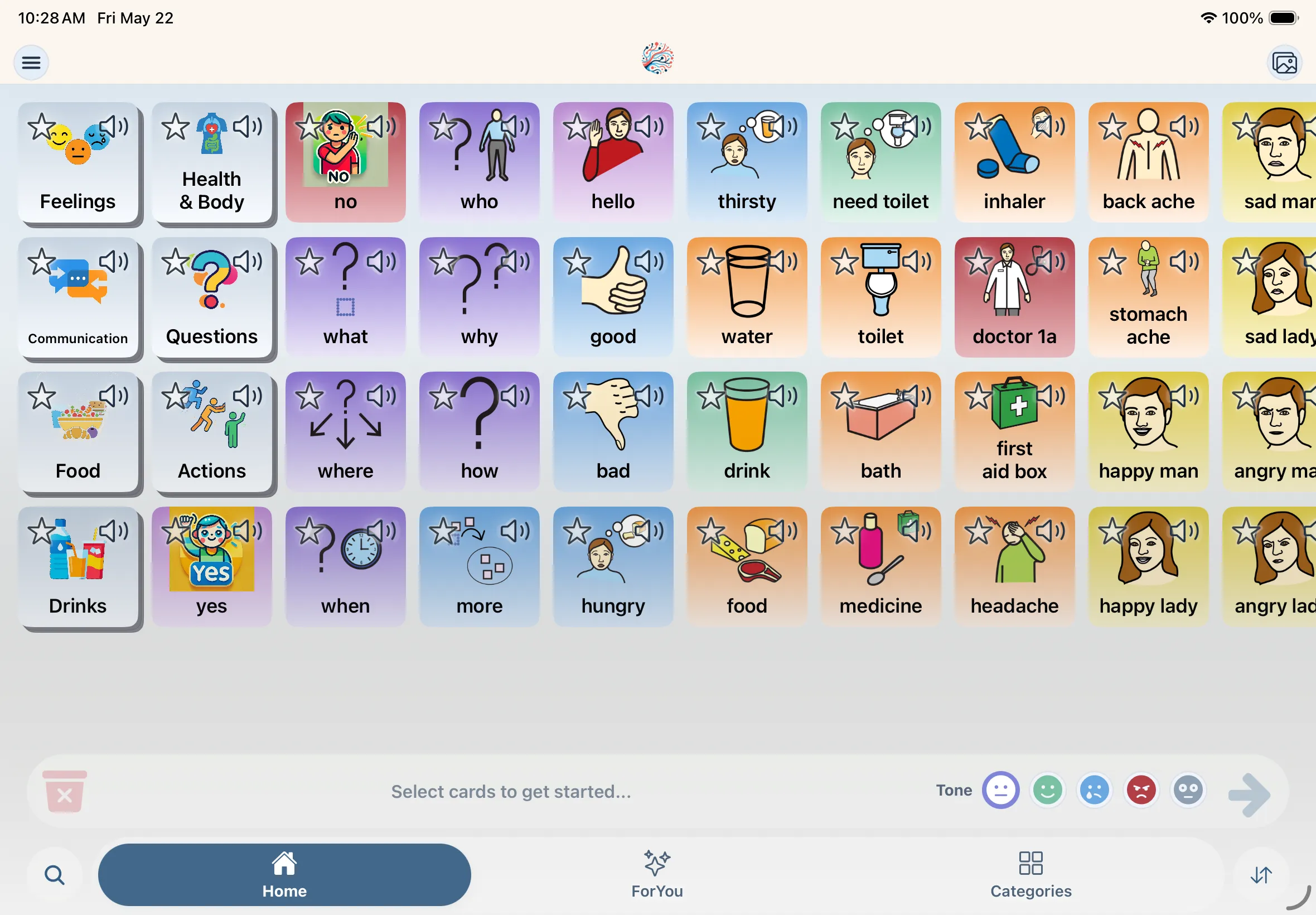
Card backgrounds reflect word type (part of speech)—a modified Fitzgerald key. For example, nouns, verbs, and questions each have their own hue so you can scan the board by color. You set word type when creating or editing a card. See the Learn guide for the full list of types.
Yes. In Settings → Accessibility, turn on Colorblind-friendly word colors. That swaps word-type tints on grids and in the word-type picker for a palette designed for common forms of color blindness, without changing your card labels or layout.
Open the card in edit mode (reorder mode on Home or Categories, then edit) or set Word type when creating cards from Images. Pick a type such as Noun, Verb, or Social—the chip’s swatch preview matches the tint on the board.
Accessibility & Colors
4 topics covered
Noun, Verb, Pronoun, Adjective, Preposition, Question, Conjunction, Determiner, Adverb, Important, Negation, Emergency, and Social. New cards default to Noun until you change them. For step-by-step setup and teaching tips, see the Learn page under Accessibility & Colors.
Swatches match the Word type picker in create and edit flows (card gradients use the same top and bottom stops).
| Word type | Default (Modified Fitzgerald key) | Colorblind-friendly |
|---|---|---|
| Noun | Noun default swatch #f8c598 | Noun colorblind-friendly swatch #f3ca70 |
| Verb | Verb default swatch #addac6 | Verb colorblind-friendly swatch #a1d6f4 |
| Pronoun | Pronoun default swatch #ede08c | Pronoun colorblind-friendly swatch #f8f091 |
| Adjective | Adjective default swatch #a4c8ec | Adjective colorblind-friendly swatch #e4b5cf |
| Preposition | Preposition default swatch #d4b6e3 | Preposition colorblind-friendly swatch #73cab3 |
| Question | Question default swatch #baabe4 | Question colorblind-friendly swatch #a6b7cc |
| Conjunction | Conjunction default swatch #dddde2 | Conjunction colorblind-friendly swatch #b9c0c1 |
| Determiner | Determiner default swatch #b8c5d2 | Determiner colorblind-friendly swatch #dcdfe1 |
| Adverb | Adverb default swatch #c8af9a | Adverb colorblind-friendly swatch #8f9ba6 |
| Important | Important default swatch #cc7c82 | Important colorblind-friendly swatch #e9a875 |
| Negation | Negation default swatch #cc7c82 | Negation colorblind-friendly swatch #e9a875 |
| Emergency | Emergency default swatch #cc7c82 | Emergency colorblind-friendly swatch #e9a676 |
| Social | Social default swatch #d4b6e3 | Social colorblind-friendly swatch #73cab3 |
It is the app’s word-type color system: each card’s part of speech maps to a consistent gradient on the grid, in the dock, and in pickers. Mosaic extends classic Fitzgerald ideas with types like Important, Negation, Emergency, and Social, using a brighter default palette tuned for symbol readability.
Default Fitzgerald-style word-type colors in Mosaic Voice. Swatches match the Word type picker when colorblind-friendly mode is off.
| Word type | Fitzgerald key |
|---|---|
| Noun | Noun default swatch #f8c598 |
| Verb | Verb default swatch #addac6 |
| Pronoun | Pronoun default swatch #ede08c |
| Adjective | Adjective default swatch #a4c8ec |
| Preposition | Preposition default swatch #d4b6e3 |
| Question | Question default swatch #baabe4 |
| Conjunction | Conjunction default swatch #dddde2 |
| Determiner | Determiner default swatch #b8c5d2 |
| Adverb | Adverb default swatch #c8af9a |
| Important | Important default swatch #cc7c82 |
| Negation | Negation default swatch #cc7c82 |
| Emergency | Emergency default swatch #cc7c82 |
| Social | Social default swatch #d4b6e3 |
Go to Settings → Accessibility and switch on Colorblind-friendly word colors. The setting is stored on your device and applies to all word-type tints until you turn it off. Category colors and favorites are not affected.
Colorblind-friendly word-type colors (Settings → Accessibility). Swatches match the Word type picker when the toggle is on.
| Word type | Colorblind-friendly |
|---|---|
| Noun | Noun colorblind-friendly swatch #f3ca70 |
| Verb | Verb colorblind-friendly swatch #a1d6f4 |
| Pronoun | Pronoun colorblind-friendly swatch #f8f091 |
| Adjective | Adjective colorblind-friendly swatch #e4b5cf |
| Preposition | Preposition colorblind-friendly swatch #73cab3 |
| Question | Question colorblind-friendly swatch #a6b7cc |
| Conjunction | Conjunction colorblind-friendly swatch #b9c0c1 |
| Determiner | Determiner colorblind-friendly swatch #dcdfe1 |
| Adverb | Adverb colorblind-friendly swatch #8f9ba6 |
| Important | Important colorblind-friendly swatch #e9a875 |
| Negation | Negation colorblind-friendly swatch #e9a875 |
| Emergency | Emergency colorblind-friendly swatch #e9a676 |
| Social | Social colorblind-friendly swatch #73cab3 |
They are optional advanced controls for iOS native grids—row count and sizes for edit, delete, favorite, and audio buttons, plus selection border and header font size. Leave a field empty to use the default. Most families only need the colorblind word-color toggle.
Devices & Access
2 topics covered
Mosaic Voice is being built for iOS and Android. The beta experience is optimized for phones and tablets, including iPad, so boards are comfortable to use at home, at school, or on the go.
Sign up through our early access form and we will follow up with beta instructions and download details as spots open. During beta, we are focused on making setup, communication, and caregiver tools as smooth as possible before public App Store and Google Play launch.
Pricing Plans
3 topics covered
Mosaic Voice is still in beta and preparing for public launch. Early access is currently handled through our signup form, and launch pricing will be shared once App Store and Google Play listings are ready.
We are preparing both a standard experience and a Pro edition. Beta access is free while the beta is open. Final launch pricing and plan details will be shared when App Store and Google Play listings go live.
Mosaic Voice Pro is planned to include benefits like unlimited AI-assisted generation after launch, App Store subscription support, and restore purchases across devices. Exact launch pricing is still being finalized.
Privacy & Data
2 topics covered
We only collect what is needed to run the app, improve the experience, and support your account. Our full privacy policy is published on the Privacy Policy page, and you can contact us anytime if you have questions about your data.
Mosaic Voice uses AI to help generate phrases from the cards you select. We treat communication data seriously because it is personal. For specifics on storage, processing, and retention, see our Privacy Policy or reach out to our team.
Launching soon
Get early access
Sign up for the beta and we'll share launch updates when download links are ready.